Your system drops files. Our engineers configure the rest with your team.
The bigger the system, the harder it is to change.
Many self-serve tools assume your team can rebuild the sender around a modern API. Large companies often run ERP and CRM systems that are hard to change, scheduled batch jobs for invoices and statements, and several teams on different stacks. Under security rules, new connections often need approval.
ERP, CRM and internal tools that were not built around a mail API.
Invoices, statements and reports that go out on a fixed run.
Each team owns its own system and its own change process.
New inbound connections are slow to approve. Outbound-only matters here.
When integration is hard, teams often ship fragile glue code or delay the rollout.
The easiest way for large senders and API users to move large batches.
Drop-Folder is a file-based integration. Your system saves the recipient list, the message content and a job settings file into a folder. When the files are in place, it adds an empty marker file to say the job is ready. OMICard detects the marker, fetches the files and sends. The results come back to a Response folder. Drop-Folder needs engineering on both sides. Our engineers scope and set it up with your team.
List, content, attachments and a settings file go into the agreed folder.
An empty marker file goes in last. The job is complete before pickup.
OMICard detects the marker, fetches the files and sends through our proprietary MTA.
Delivery results are written to a Response folder you can read.
The standard setup is a relay server in your network. It sends outbound only, over a standard web port (80 or 443), and only needs to be online while it uploads.
If you want file transfer over SFTP, we set up a server for it as a customization.
Our engineers configure the rest with your team. It is not a self-serve feature.
Built for the systems that are hardest to change.
Drop-Folder suits large senders that run complex environments. It is one option among three, and a plain API is simpler for most teams. Best fit: OMICard Cloud through the API or SMTP, or OMICard Dedicated Server or OMICard Hybrid Cloud when you want Drop-Folder.
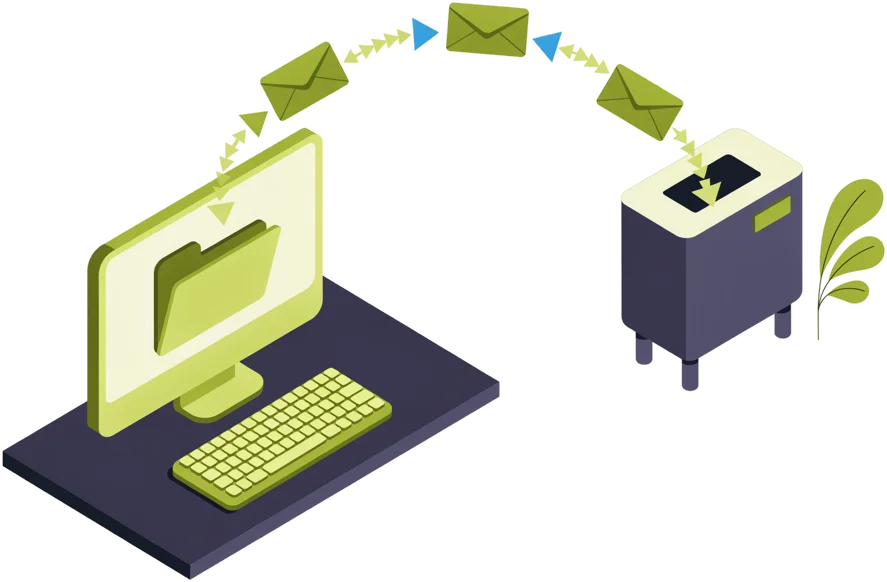
ERP, CRM and custom tools.
Outcome: you add a file step instead of rebuilding the app around a mail API.
Invoices, statements, daily reports and notices.
Outcome: a steady pipeline for predictable runs.
Different teams own different systems.
Outcome: each team integrates the way it can, and the rollout keeps moving.
The content or list can also be pulled from a URL you set in the job file.
Outcome: your pipeline publishes once and we fetch it.
Drop-Folder is for large batch senders. API and SMTP suit most teams.
Pick per system. Each one reaches the same sending platform.
Best for modern apps, event-driven systems and SaaS products.
Best for compatibility with existing mail tools and workflows.
Best for large batch jobs in locked-down enterprise environments. Set up with our team, on Dedicated Server and Hybrid Cloud.
Whichever way you connect, the same sending setup applies.
Choosing a simpler integration does not change what happens after the files arrive.
When a setting cannot do what you need, our engineers change the sending itself.
Our facilities are ISO 27001 certified.
If a receiver blocks one sender's IP, queued mail moves to another sending machine.
Small or urgent jobs, such as a login code, can go out ahead of campaign mail.
Rejected mail is sorted into nearly 40 classified reasons, and the full SMTP response is logged per message.
The Response folder tells your system what happened to each job.
Tell us what your system can do and where it sits. We will map the setup with your team.